
PlayStation tips can transform how players interact with their console. Many gamers use only a fraction of available features. Sony packs its consoles with hidden settings, shortcuts, and customization options that most users never discover.
Whether someone owns a PS4 or PS5, these practical tricks help squeeze more performance from the hardware. From controller shortcuts to storage management, these PlayStation tips cover everything needed to level up the gaming experience.
Table of Contents
ToggleKey Takeaways
- Enable Performance Mode or Resolution Mode in your PS5 settings to optimize gameplay based on your preference for frame rate or visual quality.
- Master DualSense controller shortcuts like double-tapping Create to record video and holding mute to silence all audio instantly.
- Use external storage for PS4 games and add an M.2 SSD for PS5 titles to efficiently manage your console’s limited storage space.
- Switch to a wired ethernet connection and change DNS settings to improve download speeds and reduce online gaming lag.
- Enable two-factor authentication to protect your PlayStation account from unauthorized access and potential theft.
- These PlayStation tips help you unlock hidden features, boost performance, and enhance your overall gaming experience.
Optimize Your Console Settings for Better Performance
The default settings on a PlayStation console don’t always deliver the best experience. A few quick adjustments can make games look sharper and run smoother.
Adjust Display Settings
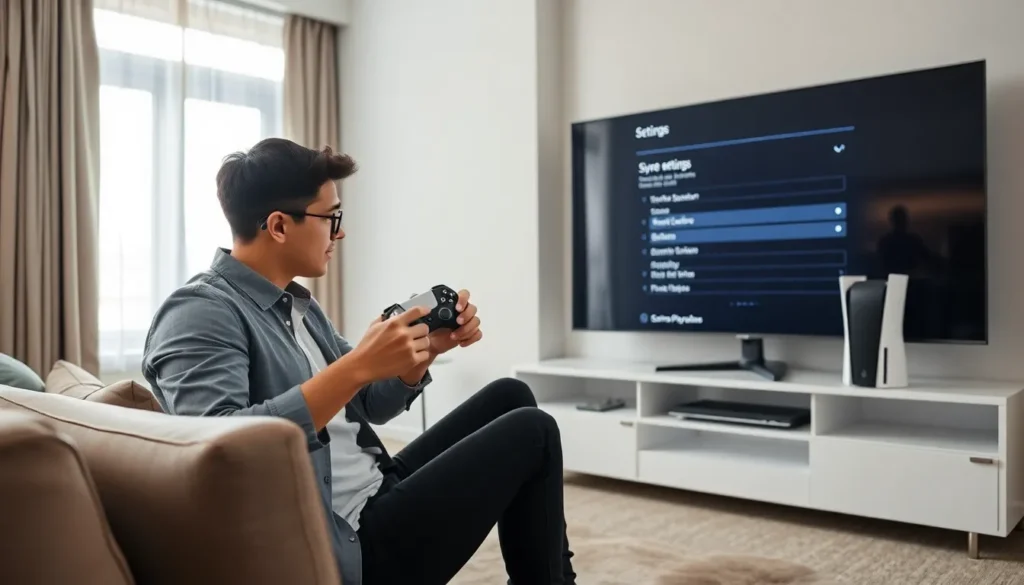
PS5 owners should enable Performance Mode under Settings > Saved Data and Game/App Settings > Game Presets. This prioritizes frame rate over resolution, giving smoother gameplay in supported titles. Players who prefer visual fidelity can choose Resolution Mode instead.
For HDR-capable TVs, calibrating HDR settings makes a noticeable difference. The console’s built-in HDR calibration tool walks users through the process step by step.
Enable 120Hz Output
Gamers with compatible displays should turn on 120Hz output. This setting lives under Settings > Screen and Video > Video Output. Games that support high frame rates will automatically take advantage of the faster refresh rate.
Reduce Input Lag
Game Mode on most modern TVs reduces input lag significantly. Players should also disable any post-processing effects on their television. These small changes can shave milliseconds off response time, a real advantage in competitive games.
Another PlayStation tip: enable HDMI Device Link to let the console control TV power settings automatically. This creates a seamless experience when starting or shutting down gaming sessions.
Master Hidden Controller Features
The DualSense controller hides several useful features that most players overlook. Learning these shortcuts saves time and adds convenience.
Quick Mute and Volume Control
Pressing the PlayStation button while holding the mute button instantly mutes all audio. Tapping the mute button alone silences the microphone. The controller’s built-in mic picks up voice chat by default, so knowing this shortcut prevents embarrassing moments.
Customize Button Assignments
Accessibility settings allow complete button remapping. Players can swap triggers, reassign face buttons, or create entirely custom layouts. This feature helps gamers with disabilities and those who simply prefer different configurations.
Adjust Haptic Feedback and Triggers
The DualSense’s adaptive triggers and haptic feedback consume battery power. Reducing their intensity under controller settings extends play sessions between charges. Some players prefer turning them off entirely during competitive play to eliminate distractions.
Use the Create Button Effectively
Double-tapping the Create button starts video recording immediately. A single tap captures a screenshot. Holding the button opens the full capture menu with additional options.
These PlayStation tips help players get more from their controller without reading the entire manual. The shortcuts become second nature after a few gaming sessions.
Manage Storage and Downloads Efficiently
Modern games consume massive amounts of storage. A single title can easily exceed 100GB. Smart storage management keeps the console running smoothly.
Delete Unused Game Data
Players should regularly check their storage usage under Settings > Storage. Games often leave behind unnecessary data even after deletion. Clearing the cache and removing old save files frees up valuable space.
Use External Storage Wisely
PS5 owners can store PS4 games on external USB drives and play them directly. PS5 games can be stored externally but must transfer to internal storage before playing. This system lets players keep large libraries accessible without constant re-downloads.
An internal M.2 SSD expansion provides the best solution for PS5 game storage. Installation takes about ten minutes, and prices have dropped significantly since launch.
Optimize Download Speeds
Rest Mode downloads happen faster than active downloads in many cases. Enabling automatic updates during Rest Mode keeps games current without manual intervention.
Using a wired ethernet connection instead of Wi-Fi dramatically improves download speeds and stability. Players experiencing slow downloads should also try changing their DNS settings to Google’s public DNS (8.8.8.8) or Cloudflare (1.1.1.1).
These PlayStation tips help maintain storage without constant frustration over space limitations.
Improve Your Online Gaming Experience
Online play requires more than fast internet. Several settings and practices improve connection quality and reduce lag.
Test and Improve Network Connection
The built-in connection test shows current speeds and NAT type. NAT Type 2 works best for online gaming. Players with NAT Type 3 may experience connection issues in multiplayer games.
Port forwarding on the router can resolve NAT problems. Sony publishes the specific ports needed for PlayStation Network connectivity on their support site.
Prioritize Gaming Traffic
Many modern routers support QoS (Quality of Service) settings. Prioritizing the PlayStation’s traffic ensures gaming data gets bandwidth preference over other devices on the network.
Reduce Background Activity
Closing unused applications frees up system resources and network bandwidth. Pausing downloads during online play sessions prevents competition for bandwidth.
Enable Cross-Play When Available
Many games now support cross-platform play. Enabling this feature expands matchmaking pools and reduces wait times. The setting usually appears in individual game menus rather than system settings.
These PlayStation tips help create stable online sessions with fewer disconnections and lag spikes.
Customize Your Profile and Privacy Settings
PlayStation offers extensive customization options for profiles and privacy. Taking control of these settings protects personal information and creates a personalized experience.
Set Up Profile Visibility
Players can control who sees their real name, friends list, and gaming activity. Options include Everyone, Friends Only, and No One. Parents should review these settings on children’s accounts to limit exposure to strangers.
Manage Friend Requests and Messages
Restricting messages to friends only eliminates spam from random players. The same applies to friend requests. These settings live under Account > Privacy settings in the main menu.
Create Multiple User Profiles
Families sharing a console benefit from separate user profiles. Each profile maintains its own save data, trophy collection, and settings. The primary account holder can set spending limits and playtime restrictions on child accounts through Family Management.
Customize Your Avatar and Banner
PS5 allows custom profile pictures from saved screenshots. Players can showcase their favorite gaming moments as their avatar. Profile banners can also display captured images from gameplay.
Enable Two-Factor Authentication
This essential PlayStation tip protects accounts from unauthorized access. Two-factor authentication sends a verification code to a mobile device during login. Sony strongly recommends enabling this feature to prevent account theft.
These PlayStation tips give players full control over their online presence and account security.