
Looking for fresh PlayStation ideas to level up your setup? Whether you’ve owned a PS5 since launch or just unboxed one last week, there’s always room to make the experience better. From game night configurations that actually impress to hidden features buried in the settings menu, this guide covers practical ways to get more out of your console. These aren’t generic tips you’ve seen a hundred times. They’re actionable PlayStation ideas that transform how you play, organize, and enjoy your gaming space.
Table of Contents
ToggleKey Takeaways
- Elevate game nights with themed sessions, tournament brackets, and split-screen multiplayer to turn ordinary evenings into memorable PlayStation experiences.
- Customize your PS5 affordably with controller skins, LED light strips, and swappable faceplates without voiding any warranties.
- Enable hidden PS5 features like Game Presets, Activity Cards, and Create button customization to streamline your gaming experience.
- Use Remote Play to stream your PS5 to phones, tablets, or PCs for gaming from anywhere with a strong Wi-Fi connection.
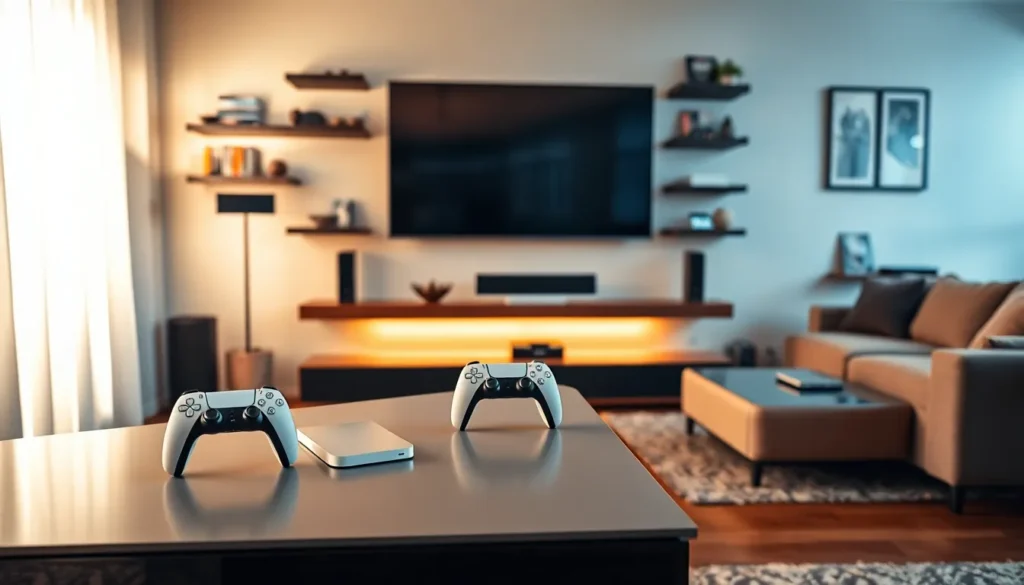
- Organize your gaming space with cable management, wall-mounted shelves, and dedicated controller charging stations for a clean, intentional setup.
- Add ambient smart lighting matched to your games for an immersive atmosphere that brings your PlayStation ideas to life.
Unique Game Night Setups
Game nights deserve more than a couch and a controller. The best PlayStation ideas for hosting start with the right atmosphere.
Split-Screen Revival
Split-screen gaming isn’t dead. Games like It Takes Two, Overcooked. 2, and Rocket League offer chaotic fun for two or more players. Set up a dedicated multiplayer playlist so switching between games takes seconds, not minutes.
Tournament Mode
Create a bracket system for competitive nights. Fighting games like Street Fighter 6 or sports titles like EA Sports FC 25 work perfectly. Print a simple bracket, assign seeding based on skill, and let the trash talk begin. A small prize, snacks, bragging rights, or first pick for next game, adds stakes without spending much.
Themed Sessions
Match your game choice to a theme. Horror night? Until Dawn with the lights off. Retro night? Fire up the PlayStation Plus Classics catalog. These PlayStation ideas turn ordinary evenings into memorable events.
Audio and Display Tweaks
Connect a soundbar or quality headphones for immersive audio. Enable HDR if your TV supports it. Small adjustments make a noticeable difference when friends notice the picture looks sharper than their own setup.
DIY PlayStation Customization Projects
Factory settings are fine. Custom is better. These PlayStation ideas let you personalize without voiding warranties.
Controller Skins and Decals
Vinyl skins change the look of a DualSense controller in minutes. They’re cheap, removable, and available in hundreds of designs. Companies like dbrand and Slickwraps offer precise cuts that fit perfectly.
Custom Faceplates
The PS5’s removable panels make swapping faceplates easy. Sony sells official colored versions, but third-party options include patterns, textures, and even wood finishes. Installation takes less than two minutes.
LED Light Strips
Add bias lighting behind your console or TV. LED strips reduce eye strain during long sessions and create a cool visual effect. Sync them to your screen’s colors with products like Govee or Philips Hue Play.
3D-Printed Accessories
Own a 3D printer? Print controller stands, headphone hooks, or console risers. Sites like Thingiverse have free PlayStation-specific designs. These PlayStation ideas combine creativity with function.
Button Remapping and Triggers
Some players swap thumbstick grips for better traction. Others add trigger extenders for shooters. These small mods improve comfort and performance without permanent changes.
Must-Try PlayStation Features You Might Be Missing
Sony packs features into the PS5 that many owners never discover. These PlayStation ideas highlight what you should enable today.
Game Presets
Set default preferences for difficulty, subtitles, and camera inversion. Every new game automatically applies your choices. Find this under Settings > Saved Data and Game/App Settings > Game Presets.
Create Button Customization
The Create button does more than take screenshots. Remap it to record the last 15, 30, or 60 minutes of gameplay. Change whether a short press captures a screenshot or starts a video. Adjust these in Settings > Captures and Broadcasts.
Activity Cards
Press the PS button during gameplay to see Activity Cards. They show objectives, challenges, and estimated completion times. Some cards offer video hints for tricky sections. It’s a built-in guide that saves trips to YouTube.
Remote Play
Stream your PS5 to a phone, tablet, or PC. Play from another room or another city. The PS Remote Play app works on iOS, Android, Windows, and Mac. A strong Wi-Fi connection is essential.
Haptic Feedback Intensity
The DualSense controller’s haptics are impressive but adjustable. Reduce intensity if it feels too strong, or increase it for maximum immersion. Trigger effects can also be tuned separately.
Ways to Organize and Display Your Gaming Space
A cluttered setup kills the vibe. These PlayStation ideas help you organize without sacrificing style.
Cable Management
Velcro straps and cable channels hide messy wires. Route cables behind furniture or through desk grommets. A clean look makes the space feel intentional.
Vertical Storage
Wall-mounted shelves display game cases, collectibles, and controllers. Floating shelves keep surfaces clear. Mount your TV to free up floor space and create a streamlined appearance.
Dedicated Controller Station
Charging docks keep controllers powered and organized. Sony’s official DualSense Charging Station holds two controllers. Third-party options add headphone hooks or additional USB ports.
Ambient Lighting
Smart bulbs let you match room lighting to game moods. Blue for Horizon, red for God of War, green for Elden Ring. It sounds gimmicky, but it genuinely adds atmosphere.
Display Cases for Collectibles
Statues, steelbooks, and limited editions deserve proper display. Glass-front cases protect items from dust while showing them off. IKEA’s Detolf is a popular budget option among collectors.
Sound Isolation
If you share living space, consider sound panels or a quality gaming headset. Keep the explosions to yourself while others sleep. It’s a considerate PlayStation idea that maintains household peace.