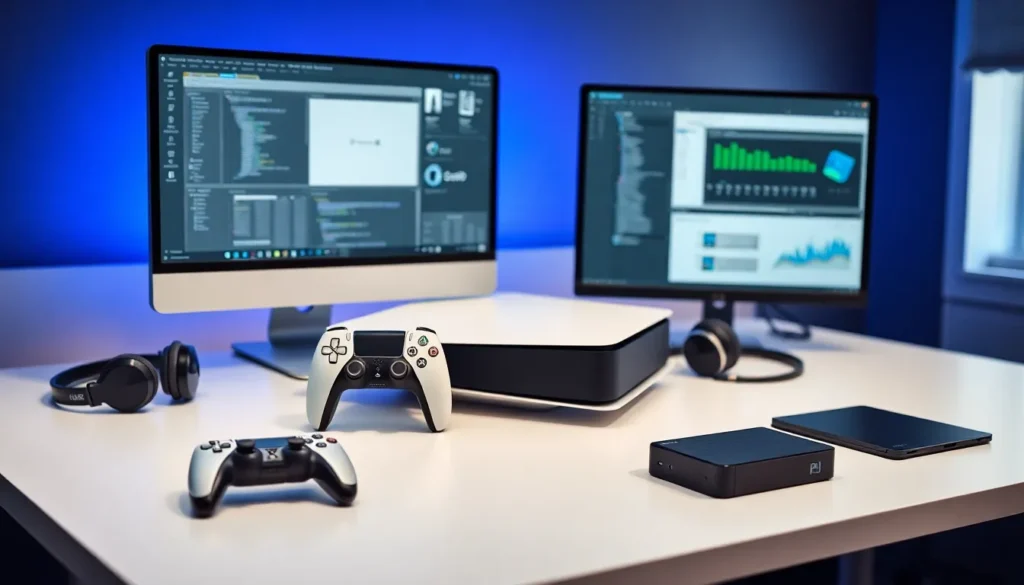

PlayStation tools give gamers and developers the resources they need to get the most out of Sony’s gaming ecosystem. These tools range from official development kits to third-party accessories and maintenance utilities. Whether someone wants to create games, enhance their gaming experience, or keep their console running smoothly, the right PlayStation tools make all the difference.
This guide covers the essential software and utilities available for PlayStation users. It explores official development resources, popular third-party options, and troubleshooting utilities that every PlayStation owner should know about.
Table of Contents
ToggleKey Takeaways
- PlayStation tools range from official development kits to third-party accessories and maintenance utilities for gamers and developers alike.
- Sony’s PlayStation Partners program provides licensed developers with devkits, SDKs, and debugging tools to build and optimize games.
- Third-party PlayStation tools like Scuf controllers, premium headsets, and external SSDs enhance gameplay for casual and competitive players.
- Built-in diagnostic tools such as Safe Mode and storage management help troubleshoot common console issues without external assistance.
- Capture cards and streaming software serve as essential PlayStation tools for content creators looking to record high-quality gameplay.
- Regular maintenance with cleaning kits and controller repair tools extends console lifespan and prevents common hardware problems.
What Are PlayStation Tools?
PlayStation tools refer to any software, hardware, or utilities designed to support PlayStation consoles and their users. These tools serve different purposes depending on who’s using them.
For developers, PlayStation tools include software development kits (SDKs), debugging utilities, and performance analyzers. Game studios rely on these resources to build, test, and optimize their titles for PlayStation hardware.
For everyday gamers, PlayStation tools take many forms. They include apps that manage game libraries, controllers with customizable features, and diagnostic software that checks system health. Some tools help users back up save data. Others improve audio quality or streaming capabilities.
The PlayStation tools ecosystem has grown significantly over the years. Sony provides official resources through its PlayStation Partners program. Meanwhile, third-party companies have developed countless accessories and software solutions to fill gaps in the market.
Understanding which PlayStation tools exist, and which ones solve specific problems, helps users make informed decisions. A streamer needs different tools than a game developer. A casual player has different needs than a competitive esports athlete. The key is matching the right tool to the right task.
Official PlayStation Development Tools
Sony offers a comprehensive suite of official PlayStation tools for licensed developers. These resources form the foundation for creating games on PlayStation platforms.
PlayStation Partners Program
The PlayStation Partners program gives registered developers access to official PlayStation tools. Members receive development kits, technical documentation, and support from Sony’s engineering teams. The program covers PS4, PS5, and PlayStation VR2 development.
Development Kits and SDKs
Development kits (devkits) are specialized PlayStation hardware units. They allow developers to run unsigned code and test games during production. These PlayStation tools include additional memory, debugging ports, and performance monitoring features not found in retail consoles.
The PlayStation SDK provides APIs, libraries, and code samples. Developers use these PlayStation tools to access console features like the DualSense controller’s haptic feedback, 3D audio processing, and trophy systems.
Performance and Debugging Tools
Sony’s official PlayStation tools include profiling software that tracks CPU usage, GPU performance, and memory allocation. These utilities help developers identify bottlenecks and optimize their games.
Debugging tools let developers step through code, set breakpoints, and inspect variables during runtime. These PlayStation tools are essential for finding and fixing bugs before release.
PlayStation Studios Tools
Sony’s first-party studios have developed internal PlayStation tools that sometimes become available to external developers. These include motion capture systems, audio middleware, and asset management solutions. Games like “The Last of Us” and “God of War” showcase what’s possible with these advanced PlayStation tools.
Third-Party Accessories and Software
Beyond Sony’s official offerings, third-party companies provide PlayStation tools that enhance the gaming experience. These products fill niches that official accessories don’t address.
Controllers and Input Devices
Third-party PlayStation tools include controllers with features like programmable buttons, adjustable triggers, and interchangeable thumbsticks. Brands like Scuf, Razer, and Nacon produce professional-grade controllers for competitive players. These PlayStation tools offer advantages like hair-trigger modes and back paddles.
Fight sticks and racing wheels represent specialized PlayStation tools for specific genres. They provide more precise input than standard controllers for fighting games and racing simulators.
Audio Solutions
Headsets from companies like SteelSeries, HyperX, and Astro deliver premium audio experiences. Many include companion apps, PlayStation tools that let users customize EQ settings, sidetone levels, and microphone sensitivity.
External DACs and amplifiers serve as PlayStation tools for audiophiles who want the best possible sound quality. These devices process audio signals with higher fidelity than built-in console hardware.
Storage and Networking
External SSDs have become essential PlayStation tools for expanding game libraries. The PS5’s internal storage fills quickly with modern game sizes. Compatible NVMe drives provide fast, reliable expansion.
Network adapters and mesh WiFi systems function as PlayStation tools for improving online performance. Lower latency and more stable connections lead to better multiplayer experiences.
Streaming and Capture
Capture cards from Elgato and AVerMedia are popular PlayStation tools among content creators. They record gameplay at high quality without impacting console performance. Companion software provides editing features and streaming integration.
Troubleshooting and Maintenance Utilities
Every PlayStation owner eventually needs troubleshooting and maintenance tools. These utilities keep consoles running at peak performance and resolve common issues.
Built-In PlayStation Tools
The PlayStation console includes several built-in diagnostic tools. Safe Mode offers options for rebuilding the database, restoring default settings, and updating system software. These PlayStation tools resolve many common problems without external help.
The storage management system lets users see which games and apps consume space. Users can delete, move, or archive content directly from the console interface. This PlayStation tool helps maintain adequate free space for system operations.
Data Backup Solutions
PlayStation Plus cloud storage provides automatic save data backup. This PlayStation tool protects progress from hardware failures or accidental deletion. Users can also back up data to USB drives for local storage.
External backup utilities offer additional features. Some PlayStation tools create complete system images. Others sync specific folders to cloud services beyond PlayStation Plus.
Hardware Maintenance
Cleaning kits represent physical PlayStation tools that extend console lifespan. Compressed air removes dust from vents. Microfiber cloths clean surfaces without scratching. Thermal paste replacement kits help users address overheating issues in older consoles.
Controller repair kits include replacement parts and specialized screwdrivers. These PlayStation tools enable users to fix stick drift, worn buttons, and battery issues without buying new controllers.
Network Diagnostics
The built-in network test provides basic connection information. Third-party PlayStation tools like network analyzers offer deeper insights. They identify WiFi interference, measure packet loss, and suggest optimization steps.
Port forwarding guides and NAT type troubleshooters help users configure their networks for optimal PlayStation performance. These resources function as PlayStation tools for resolving connectivity problems.